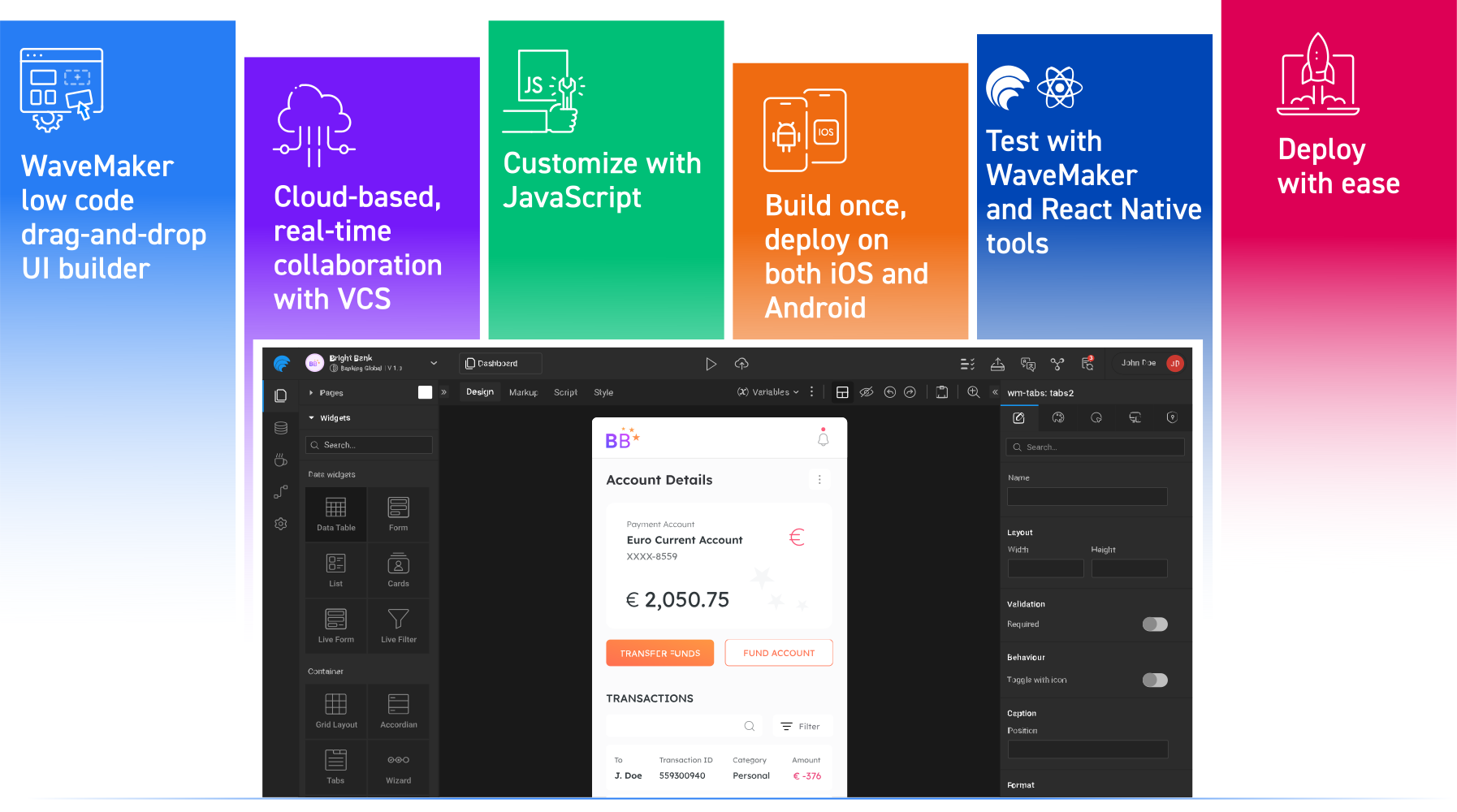
How WaveMaker helps web devs build beautiful native mobile apps, fast!

WaveMaker Studio is making waves with the new React Native code generation engine. Now web devs can create beautiful cross-platform mobile apps fast, using the skills they already have in their toolbelt, and our intuitive drag-and-drop visual builder. Developers can now produce native-style apps for iOS and Android without the overheads of learning Swift, Kotlin, or a new mobile framework.

With WaveMaker Studio for React Native, anyone with a background in web-based JavaScript can get started with developing mobile native-style apps, fast!

Why React Native?

“React Native is used by over 20 thousand apps on the Google Play Store and 14% of the top apps” - AppBrain

React Native might be developed by Meta, but the software framework is free and open source, so anyone can adapt and use the framework in their apps - for iOS, Android, Meta Quest, and Desktop. React Native is an evolutionary product, developed by Meta engineers plus contributors from outside the business, for maximum usability. You’ll find React Native in some of the world’s most-used apps, from Microsoft Teams to Amazon Shopping, Shopify, Bloomberg, Coinbase, Discord, and more.

Open source is in our DNA at WaveMaker. We choose to work with open-source projects with a thriving, pervasive presence, for ultimate developer choice and opportunities - plus no extra hidden costs of ownership.

How does it work?

The WaveMaker low-code drag-and-drop UI builder

For 64% of EMA companies, low-code is critical to success in order to make development processes more efficient and reliable.” - Shaping digital transformation with low-code platforms 2023, KPMG

The WaveMaker platform is a low-code, drag-and-drop UI builder, with visual data connectors and logic flows, and the ability to add custom code. The platform is designed to significantly reduce the time taken for developers to get apps to the production phase. By offering drag-and-drop visual components, templates, and more, building the basis of an app is on-sight, fast, and reconfigurable.

The Visual Builder
The WaveMaker Visual Builder contains drag-and-drop: branding, loading, navigation options, quick actions, featured content, buttons, text, lists, grids, pop-ups, app badge icons, user account fields, app settings, images and video, gestures, animations, status bars, and much more.
Prefabs, WaveMaker’s reusable, modular components encapsulate UI elements, logic, and functionality, for building apps super fast.

The Backend
Data models and backend services are managed by WaveMaker's visual database management tools and API integrations. App logic and use cases are created with JavaScript services, custom JS code, or WaveMaker’s built-in event-handling system.

Mobile Helper Systems
Every page in a WaveMaker app has a singleton instance, so developers can manage dynamic content loading, customize behavior, and optimize user interactions, such as swipe gestures or mobile-specific transitions. Here, devs can also handle mobile-specific events such as app lifecycle states.

Cloud-based, real-time collaboration with VCS

The WaveMaker platform with React Native is a cloud-based self-service platform with no environmental setup needed. The platform allows real-time collaboration with inbuilt conflict resolution, backed by versionability with version control systems like Git. This makes it possible for multiple developers to work on a project at once, without the headache of clashing code changes.

Customize with JavaScript

With WaveMaker, you can use the JavaScript ecosystem for component configuration and customization within the visual builder. By customizing with JavaScript, you eliminate the need to use unfamiliar mobile languages, libraries, and frameworks.

Integrate with ease

Already working with an existing codebase? No problem. WaveMaker code can easily be connected to legacy systems and other platforms; utilize APIs to integrate components from anywhere. Found some React Native components you’d love to add to your app? WaveMaker makes it simple to integrate any React Native components with a custom built-in widget.

Build once, deploy on both iOS and Android

Cross-platform development significantly reduces development time and costs by allowing the organization to deploy a single codebase across multiple platforms.” - Market Guide for Mobile Development Frameworks, Gartner 2024

Thanks to WaveMaker’s React Native code generation, you can now build once in the platform, then package and deploy on both iOS and Android simultaneously - without any platform-specific changes. Of course, if you want to access device-specific features, there is the option to create custom modules to do so.

Test with WaveMaker and React Native tools

WaveMaker includes integrated testing tools, plus leverages React Native DevTools for iOS and Android debugging including live and hot reloads, performance monitoring, log inspection, and more. Flipper can also be integrated for debugging custom React Native components. Generated apps can be swiftly tested on-device by generating a QR code for evaluation.

Deploy with ease

While app store requirements vary, you can expect to optimize your app for performance, generate certificates and keys, ensure all compliance objectives are met, and gather all metadata. Once ready, AppChef or the WaveMaker CLI can package the app into .ipa and .apk files, ready for upload to App Store Connect or the Google Play Console.

WaveMaker Studio for React Native = Rapid App Building

WaveMaker Studio for React Native rapidly speeds up the time to develop apps, reduces the barriers of entry to app building, and is completely DevOps-able and cost-effective, making cross-platform development accessible to all. Whether you want to build a beautiful prototype in a day or create a fully functional native app, WaveMaker Studio for React Native can help you achieve your goals.

If you’d like to see WaveMaker Studio for React Native in action - and how it can help you rapidly build iOS and Android apps - please get in touch for a free demo.

Are you taking chances with your low-code platform?

Selecting a low-code product requires a clear understanding of your most common requirements. Are you dealing with a variety of data and workflows? Do your apps need to integrate with partner APIs? Are your business requirements changing often? Are your users finicky about the experience? Do you have both citizen and professional app development teams? Are you finding it difficult to hire skills?

All low-code platforms give you a promising start. You get off the block at speed, simple apps are easy, and tough ones seem possible. But missing key requirements in your platform means you will soon find yourself skipping deadlines or you need to hire developers to finish the job - defeating the purpose of buying a low-code product. That's why setting some criteria for choosing a low-code application platform is important. Here is our list.

What are your goals for using the low-code platform?

Using a low-code platform offers several benefits.
Here are some common goals of using a low-code platform:

Accelerated Development, Increased productivity, Faster time to market

Low-code platforms enable faster application development by providing pre-built widgets, custom reusable components and visual development interfaces like out-of-the-box themes, templates and layouts. Developers can rely on drag-and-drop methodology, automatic code generation that provides open-standards-based code that is human readable, and auto-API documentation which is all handled by the low code platform. This allows developers to focus on the core functionality of the application without spending excessive time on repetitive coding tasks and reducing the manual coding effort drastically. Consequently, development cycles are shortened, and applications can be delivered to the market quickly.

Cost Savings, Reduced TCO (Total Cost of Ownership) of Applications

Low-code platforms can reduce development costs by minimizing the need for seeking/hiring proprietary developer skill sets, extensive coding, reducing the development cycle, and streamlining maintenance and updates. With faster development times and increased productivity, organizations can achieve cost savings in terms of development resources, resource allocation and time to market. Low-code platforms priced based on developer seats are hassle-free when it comes to developing applications, as there is no limit to the number of applications or end users. In addition, it is vital that these platforms do not have any runtime dependency or hidden costs that can later impact the TCO of applications.

Simplified Integration & Deployments

Low-code platforms offer seamless integration capabilities with third-party systems, databases, and APIs. This simplifies the process of connecting and interacting with external services, eliminating the need for extensive custom coding. As a result, integrating disparate systems becomes straightforward, enabling enterprises to leverage existing enterprise assets and data sources effectively with minimal to no disruption in existing practices. The LCDP should also provide the ability to deploy anywhere without any runtime implications. This will enable enterprises the freedom of deploying their apps built using LCDP to either merge with their existing CI/CD process or deploy to an orchestration layer like K8s or Redhat OpenShift or a cloud of their choice or an on-premise setup.

Agility and Flexibility

Low-code platforms provide the ability to make rapid changes, prototyping and updates to applications. With visual development interfaces that include the WYSIWYG approach, developers can easily modify and adapt applications in response to changing business requirements or user feedback. This agility allows organizations to iterate quickly, experiment with new ideas, and respond accurately to market demands.

Collaboration and Transparency

Low-code platforms come with built-in collaboration features, allowing multiple developers to work together on a project. By providing centralized governance and enterprise-grade features like role-based access control at a development level which enhances project management for a development team. These platforms facilitate communication, version control, knowledge and application asset sharing among team members by providing an internal artifact repository that resembles an internal developer marketplace. This promotes transparency, enhances teamwork, and improves the overall developer community.

Who are the users? What’s their coding expertise?

There are primarily two user personas when it comes to low-code platforms - developers and business users. There are low code development tools that are developer-focused and built using open standards frameworks like Java, Angular, HTML, CSS and Javascript that are tailored to developers to boost their productivity and make them efficient while minimizing the learning curve.

On the other hand, there are LCDPs that are business user-oriented, which deliver a workflow-based approach to application development that may or may not fall under the category of solving serious enterprise-grade applications, like basic approval flows, data collection etc., they do provide value in creating simple user journeys and flow-based applications. But here, the application delivery cycle times can be delayed due to a handoff between the business user and the development/delivery teams.

What is the scope and scale of the problem to be solved?

There are multiple use cases that can be an ideal fit for low-code platforms:

Are there custom integrations with external and internal applications?

The LCDP of choice should have the necessary open framework to support integration for systems already in use within your enterprise to meet your application requirements. Integrations to Swagger API open spec or standards provide LCDPs with a higher acceptance of universally used APIs facilitating integrations with any third-party systems - external or internal.

It is an added benefit when the LCDP is advanced enough to understand the API input and provide the necessary CRUD endpoints automatically based on the API definitions. This heavy lifting of the LCDP will improve developer productivity and reduce the coding effort. In some cases where the already in-use APIs do not meet the universal Swagger spec standards, there would be a need to create custom integrations and custom code configurations to enable the LCDP to accept these APIs. A pitfall to look out for would be that LCDP in consideration could be tied to a particular technology and only supports integrations within the said locked technology landscape (for example - Microsoft™ / Salesforce® / ServiceNow™). This can limit or eliminate the scope of integrating with other third-party systems that use other technologies.

What is the turnaround time needed?

With the LCDP being developer-centric and open standards-based, it is easily adoptable by developers. The ability of the platform to generate standards-based code that is human readable, editable and extensible gives developers a sense of security and ownership. This puts the developers in their comfort zone to be able to adopt a new development tool or a platform, and the learning curve is neither steep nor long. With the help of the support channels, documentation and training, the adoption time coupled with the understanding of best practices creates a seamless transition for developers to feel confident with the platform of choice. A realistic time estimate for a developer to attain low-medium proficiency with a LCDP can be 1-2 months and high-expert proficiency may span 3-4 months.

How much control do users want to retain over code?

An LCDP providing code-level controls is definitely a good-to-have feature when choosing an LCDP. An LCDP that provides access and control to the generated code provides development teams with transparency and ownership which may be in general; lacking in LCDPs that do not provide code control or access. Development teams can now understand and read the generated code allowing the possibility to bring in more complex customisations and integrations to meet the high standards of enterprise-grade use case requirements.

The advantage of a LCDP that generates code and provides code-level controls can be seen in the versatile use-cases of the platform. There can also be scenarios where development teams need not want access to the generated code/perform code-level changes, which is befitting for such requirements. A good LCDP platform caters to this segment of developers as well.

Does the application need to factor in security considerations?

All enterprise applications need to come with enterprise-grade security measures to safeguard the applications from external threats making them robust and secure. It is a good practice to look out for LCDP platforms that have certain out-of-the-box security certifications in place like OWASP Top 10 vulnerability attacks. This saves time and effort to perform individual tests as the platform already possesses these safeguards.

LCDPs that generate code need to take care of the code quality and standards to minimize flaws in their first-party code. Having a certified status by companies like Veracode, Checkmarx or Acunetix etc. represents a high standard of security practices in the generated code. In addition to this, LCDP platforms should have the provision to connect with existing enterprise authentication and authorization mechanisms to blend in. Out-of-the-box integrations with LDAP, Active Directory, OpenID, CAS, SAML etc. with the support for SSO help developers configure security tasks and authentication with ease, for respective application use cases.

Low-code fosters continuous innovation and allows you to create at the speed of change. There is a wide range of low-code tech out there, be wise to evaluate how these platforms perform in context to your enterprise and development needs, the right platform can accelerate productivity, produce secure and scalable apps, with great user experiences, enabling your teams to go to market faster.

10 Low-Code Rules for Serious Coders

Authored by Vikram Srivats, Chief Commercial Officer, WaveMaker, Inc

After the grueling stress test of a global pandemic, corporations must now contend with the stresses of war and a weakening macroeconomic environment and yet transform to become modern, composable, and competitive enterprises. Technology executives at the center of this transformation are pursuing bold yet pragmatic strategies, including building and scaling new software-driven business capabilities quickly. For them, the holy grail seems to be democratizing software application development itself – with low-code/no-code (LCNC) approaches – to deliver at speed and at scale to the business.

Professional developers and enterprise architects get involved in governing LCNC development as enterprises become deliberate about policies, processes, and people to scale this movement responsibly. But pro-coders themselves are not yet active adopters of LCNC platforms – they range from interested observers (at best) to those that detest LCNC platforms (for valid reasons).

Based on industry estimates, around 35-40% of a pro coder’s time is spent in setting up, creating guardrails, importing, and integrating with data sources, writing code from scratch, making code secure, testing and retesting applications, managing source control, and versioning, adding internationalization, making them accessible, optimizing for performance, and maintaining or upgrading applications. Another 30% of the time is spent on non-technical or operational activities. That leaves less than half of their productive time for thinking, innovating, and crafting complex and compelling apps and experiences.

Clearly, pro-coders experience pain. So, what should low-code platforms offer to entice pro-coders to adopt and, better yet, embrace them? Let’s dig in.

Rule 1: Be Open. Provide Familiarity and Visibility

What if a low-code platform used an open standards-based, popular tech stack (React, Angular, and Bootstrap for UI; Spring for backend; Docker containers)? What if developers could actually see and read real (not model-generated or metadata-driven) code being generated? What if this code was written the way they code?

Pro coders are accustomed to seeing, reading, and understanding real code in a language or framework that is open and widely accepted. So, just give it to them.

Rule 2: Custom Everything

Developers need the ability to add fine-grained logic to their applications; that is, writing custom services or creating custom APIs in a code editor alongside the drag-and-drop canvas.

Low-code platforms should offer developers the ability to configure each out-of-the-box widget to a high degree to allow for creating visually captivating experiences.

Imagine if developers could go beyond a standard UI widget library and create their own custom components – building blocks of API-infused UI – and add them to their private library. Sometimes, developers may also need to import pre-built components (React or Angular or GraphQL components exported as standard Web Components) into their low-code development platform and reuse them.

Finally, developers may want to create their own application theme – a combination of fonts, layouts, colors, and styles – to create a differentiated yet consistent branded user experience across one or more applications or products.

Rule 3: Integrate Easily with Data Sources. Set Up Quickly.

Integration and extraction from data sources such as APIs (REST, SOAP, or WebSocket), databases (such as MySQL, Maria DB, PostgreSQL, Oracle DB, SQL Server, IBM DB2, Amazon Redshift, SAP Hana, HSQL, and Mongo DB) or streaming data sources (like Kafka embedded in the app) – must be supported and be effortless.

CRUD operations are usually hardcoded by the developer and take up a lot of time. If a low-code platform could automatically generate all the CRUD APIs once the data source is imported, it cuts down the development time immensely. Similarly, an editable abstraction of the database that replicates the schema of the DB can help developers manipulate the data from within the platform itself.

Once imported, developers should be able to bind their UI easily and quickly to the backend via passing variables. Data from a REST call should then be easily displayed as entities on a page without any workarounds or wordy importing and model definition. Likewise, with a Swagger import, descriptions should be able to handle reusing the same model in multiple endpoints or recursive models.

Rule 4: Apps Must Be Secure, Scalable, and Performant

For user authentication, developers may need to integrate with database, LDAP, Active Directory, SAML, and other authentication providers. SSO should be easily enabled with support for SAML federation and Central Authentication Server (CAS). For authorization, low-code platforms need to support coarse as well as fine-grained permissions that extend across pages, individual widgets on a page, and even individual APIs exposed by the application.

Developers look for protection against OWASP vulnerabilities (XSS, CSRF, brute force attacks, SQL injection) and support of encryption standards such as TLS 1.2+ during app hosting. Ideally, low-code platforms need to be certified by security leaders like Veracode who perform rigorous static and dynamic tests (iAST, SAST, DAST, and SCA).

Through session-less architecture, distributed caching, horizontal scaling through containers, and UI framework-specific performance features (for example, Angular 13 has lazy loading, Brotli compression, tree shaking, Ivy), developers using low-code platforms can build highly performant apps, minimizing chattiness and UI-to-backend roundtrips. As an example, instead of storing the state in a session, it can be backed by a distributed cache (such as Redis) to allow apps to scale horizontally.

Rule 5: Deploy Anywhere, Anyhow

Developers cannot be constrained to a vendor-specific app deployment infrastructure. They need the freedom and flexibility to host their apps anywhere – on any public, private, or hybrid Cloud, on K8s clusters, or on bare metal/on-premise infrastructure. Low-code platforms that offer a development model where the UI is decoupled from the backend, can allow UI and backend artifacts to be separately packaged and deployed (UI to CDN; as an example, backend to a standard Java server like Tomcat) using a standard archive or a Docker image.

Rule 6: Complex and Long-Lived Apps & Large-Scale Platforms

Developers hand-code some of the most complex apps and systems in use today. They need low-code platforms to step up to the plate and deliver equally complex apps that can be sustainable over the long term in terms of maintenance and enhancements.

For example, low-code platforms need to integrate with 3rd party BPM tools (Camunda, jBPM, Flowable, Activity) that help developers orchestrate detailed workflows/tasks and need to support a full 2-way data exchange with the BPM tool’s runtime engine. Within low-code platforms, developers will expect to easily manipulate complex data (pick a certain number of arrays and use logic to combine them into a new set of arrays) and easily represent complex graphs without custom styling/CSS or tangling with data formats.

Developers may need to conditionally retrieve data using a parent-child relationship, be able to localize and internationalize applications, handle complex core code merges and upgrades with customized apps in deployment, deal with Swagger changes pushed to already imported Swagger files without rewiring all the variables, write and support complex business logic interleaved with visual development, support multiple app themes at runtime, support apps as deep links, set click targets to measure/launch intents or URLs, and so on.

Rule 7: No Vendor Lock-In, Restrictions, or Fine Print

Lock-in is a strict no for developers who value independence and freedom. That starts with access to generated code. Low-code platforms that do well in this space readily offer developers the ability to not only see and read generated code but also to export source code outside of the platform to an IDE of their choice.

Developers also don’t like low-code platforms that force them to use their runtime environment to deploy their apps, effectively locking developers and their employers into the platform through the app’s lifecycle. Lastly, from a licensing perspective, low-code platforms that restrict developers to a limited number of apps, app objects, or end users effectively throttle developers to a commercial model that becomes quickly expensive with usage and more apps.

Rule 8: Modern (Cloud-Native) Environments, Practices, and Standards

Developers using cloud-native low-code platforms benefit in terms of collaboration, ease of access, availability, flexibility, security, frequent and easy upgrades, horizontal scaling, and the overall unit economics of the model for their app development and deployment.

Developer-friendly low-code platforms generate code using modern design patterns (for example, a Java maven project) enabling developers to see, extend, and customize code across all layers of the application stack. They enable every user to have a workspace running as a container instance. When an app is built, a repo is automatically created for it in the low-code platform’s source control/Git (and integrated with Prometheus/EFK for logs and metrics).

Finally, developers appreciate low-code platforms that embrace modern standards, say Android Material Design specification for visual design and building interaction across multiple devices using out-of-the-box widgets and themes. They value the ability to create functional, distributable, reusable, API-integrated, and independently testable experience components. Low-code platforms that offer twelve-factor standards assure developers that their apps are trustworthy.

Rule 9: Play Well with Design, Build, Test, and Release Processes and Toolsets

Developers using low-code platforms will want their apps to connect to, integrate with, or be embedded in other hand-coded apps. Beyond iFrame support, low-code platforms that support embedding via a micro frontend approach (such as Single SPA) offer sophisticated functionality for developers to create seamless end-to-end experiences that cover high-code and low-code developed apps.

Professional application development teams tend to use design tools like Figma, Sketch, or UXPin; QA tools like Selenium, Protractor, or Karma for testing web apps; Appium for testing mobile apps; and performance testing tools and app profilers like AppDynamics or New Relic. DevOps teams have a plethora of tools for the build, test, integration, and deployment processes. Post-deployment, developers would like to monitor app performance events, and page tracking via Google Analytics or Adobe Analytics. Low-code platforms that endear themselves to developers will have to play well and integrate seamlessly with these toolsets and design, build, test, release, and monitoring processes.

Lastly, while low-code platforms may provide their own VCS (such as Gitlab), they need to offer easy integration with external repositories like GitHub or Bitbucket. Developers should be able to pull, view, and push changes and merge conflicts between source control systems. They will appreciate low-code platforms that support app versioning from code-level commits to component-level and application-level versioning for releases (including a major or minor version format), allowing multiple versions of the app to co-exist in different deployment environments such as test, stage, or pre-production.

Rule 10: Future-Proof Me, My Apps, and My Employer

A UI developer or backend developer using low-code platforms should be able to develop a complete application with, for example, a basic knowledge of SQL, JS/Java, and zero DevOps, and transform to full-stack developers. Using the Java world as an example, developers don’t need knowledge of advanced JS framework, HTML5, CSS, Bootstrap, Spring, ORM, REST, advanced SQL, native device programming, mobile integration, building and running Docker scripts, or manual integration with CI/CD pipelines.

For technology stack upgrades for apps built using a low-code platform, developers should be able to open apps in the target version of a low-code platform with the latest tech stack (as an example, Angular 14 for UI). The app upgrade should be automatic, and the transition seamless.

Developers and CTOs/CIOs alike are constantly worrying about creating technical debt for the future. Enterprise-friendly low-code platforms are built on an open-standards-based modern tech stack, shift the burden of tech upgrades to the platform, offer source code that is extensible outside of the platform using commonly available skillsets, and play well with a modern enterprise’s toolsets, practice, and standards.

Originally published in Embedded Computing Design